How do recovery codes work?
Recovery codes will allow you to connect to the client portal if you ever lose access to your 2FA device (e.g. if it is lost or broken). The goal of recovery codes is not to replace your usual 6-digit security codes, but rather to act as a backup method of connecting.
Because recovery codes allow you to temporarily bypass 2FA verification and thus grant access to your account, it is imperative that you store these codes in a secure way.
Note: Each recovery code can only be used once.
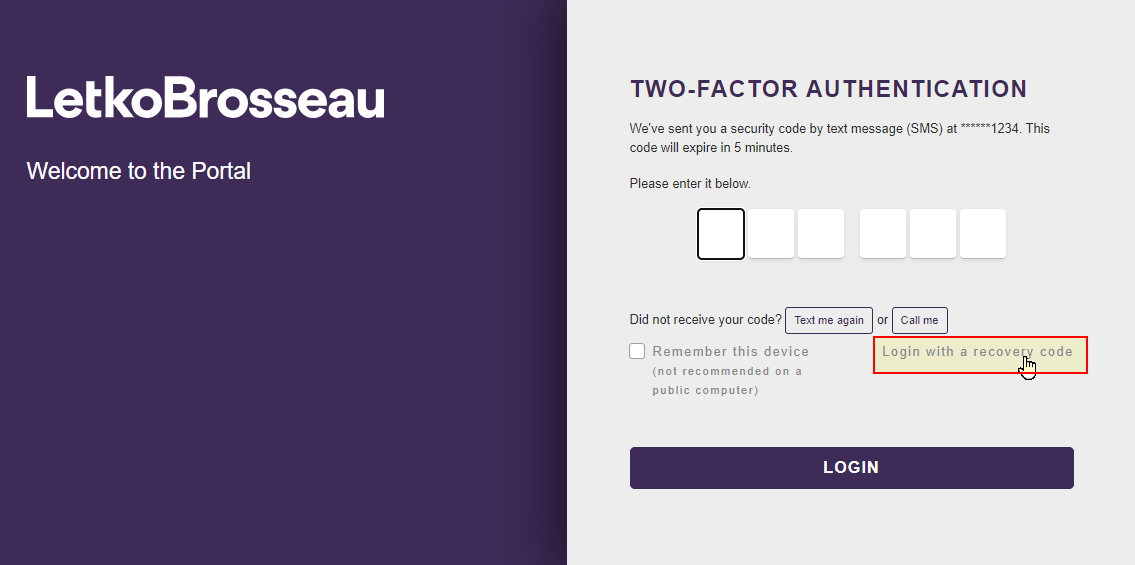
To connect using a recovery code instead of the usual 6-digit 2FA code, click on "Login with a recovery code" after identifying yourself using your username and password.
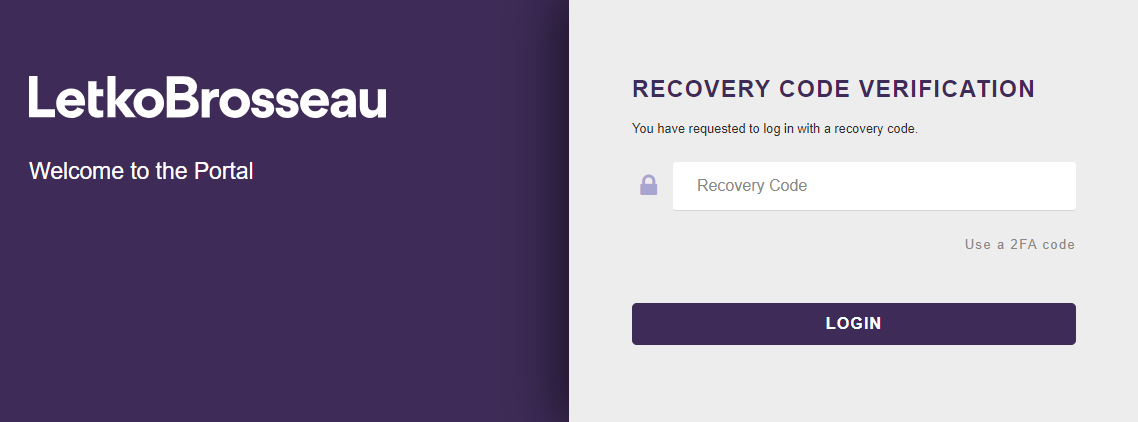
Note: Some sensitive actions (such as: disabling 2FA, generating new recovery codes, etc.) require an ID verification via 2FA before they can be completed. If you do not have your 2FA device, recovery codes will allow you to perform these actions.
Where to get your recovery codes?
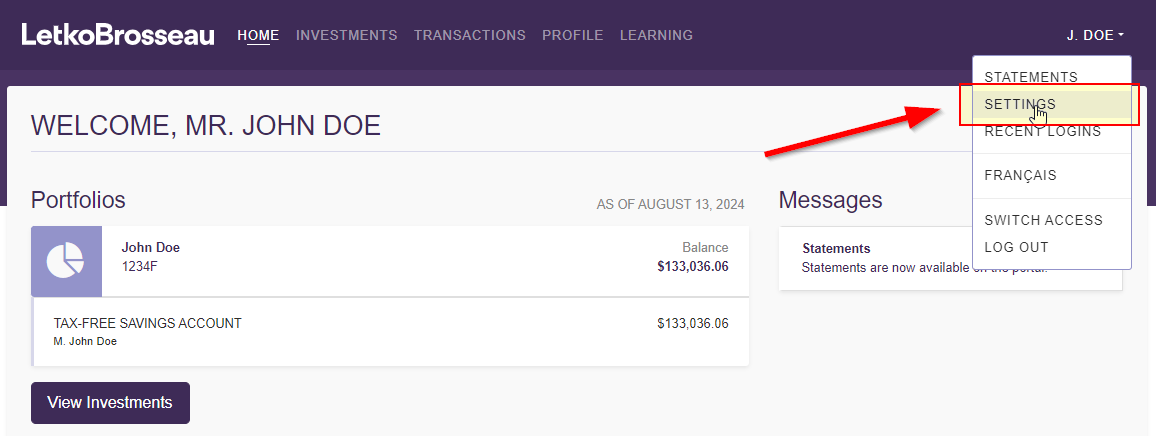
STEP 1: Connect to the client portal and go to your settings
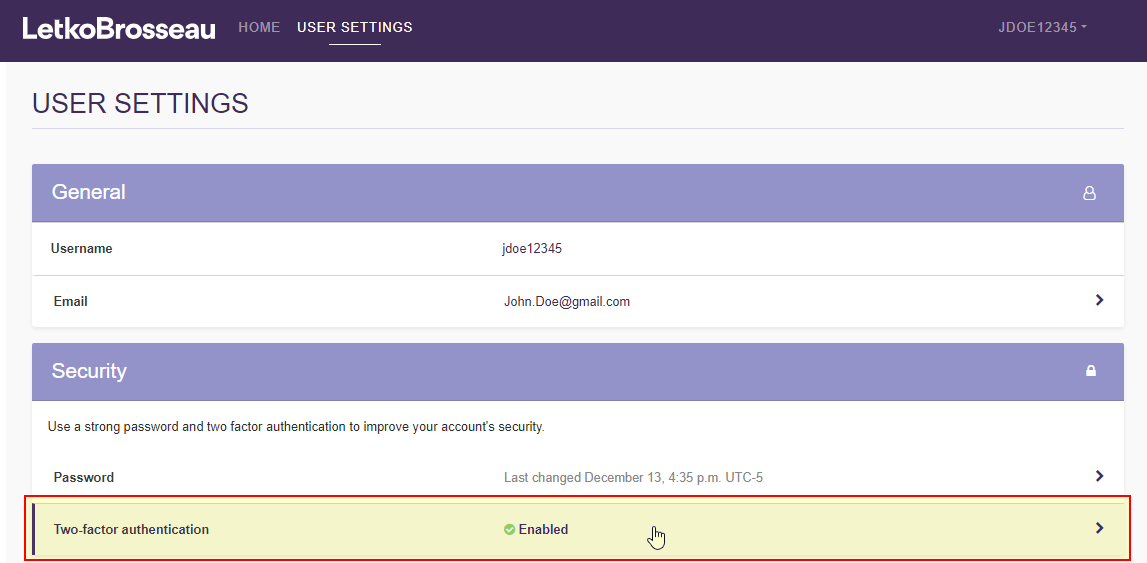
STEP 2: Click on the "Two-factor authentication" section
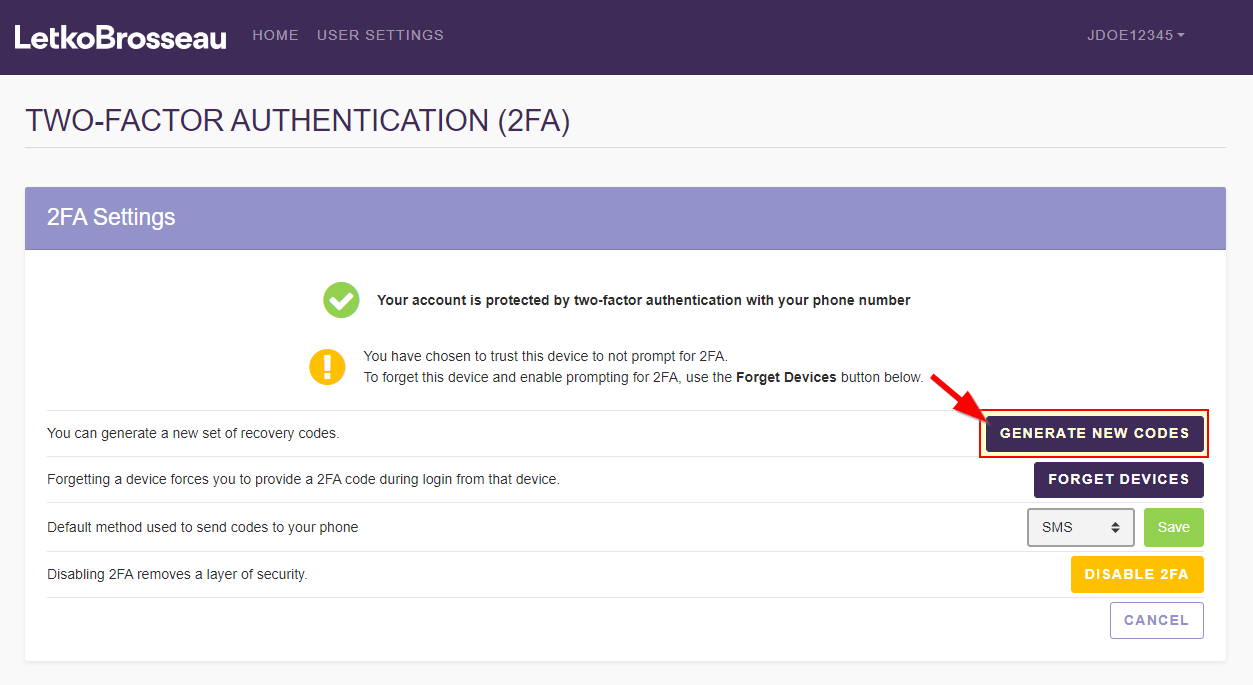
STEP 3: Click on "Generate new codes"
STEP 4: Identify yourself using a 2FA code
This is to verify that the person requesting to generate new recovery codes is really you.
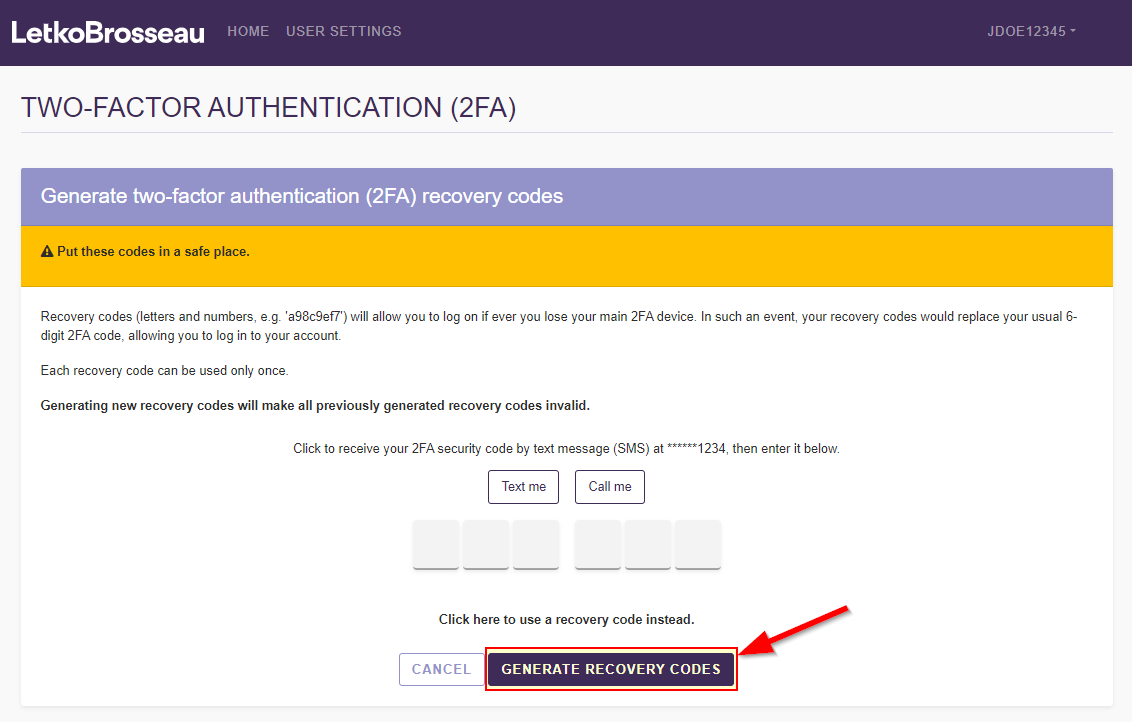
STEP 5: Print or save your codes somewhere safe

How to store your recovery codes?
Because recovery codes allow you to temporarily bypass 2FA verification and thus grant access to your account, it is imperative that you store these codes in a secure way.
Some people print these codes and store the printed version in a safe location such as a strongbox, a filing cabinet, or a safety deposit box. Others prefer to store their codes digitally in a trusted password manager. Choose a storage mechanism that is safe and works for you.