Where are the 2FA settings?
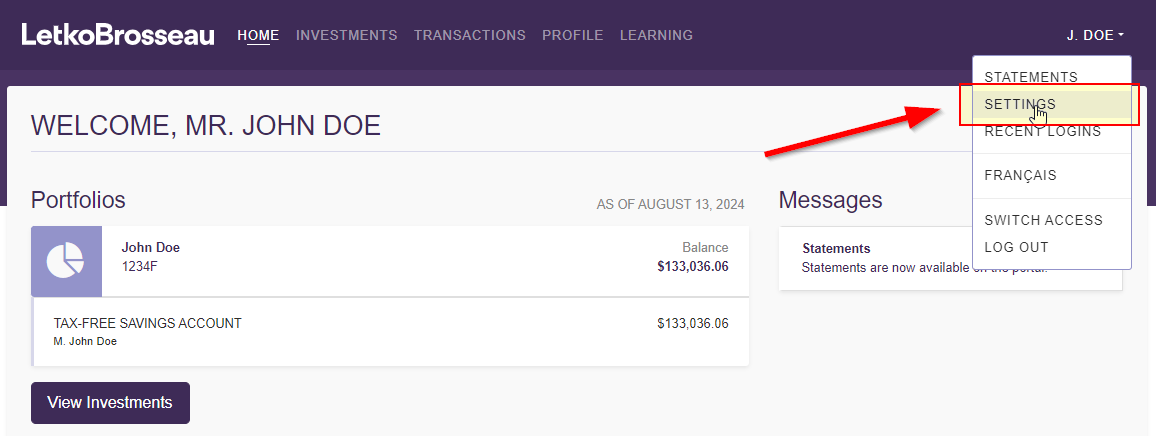
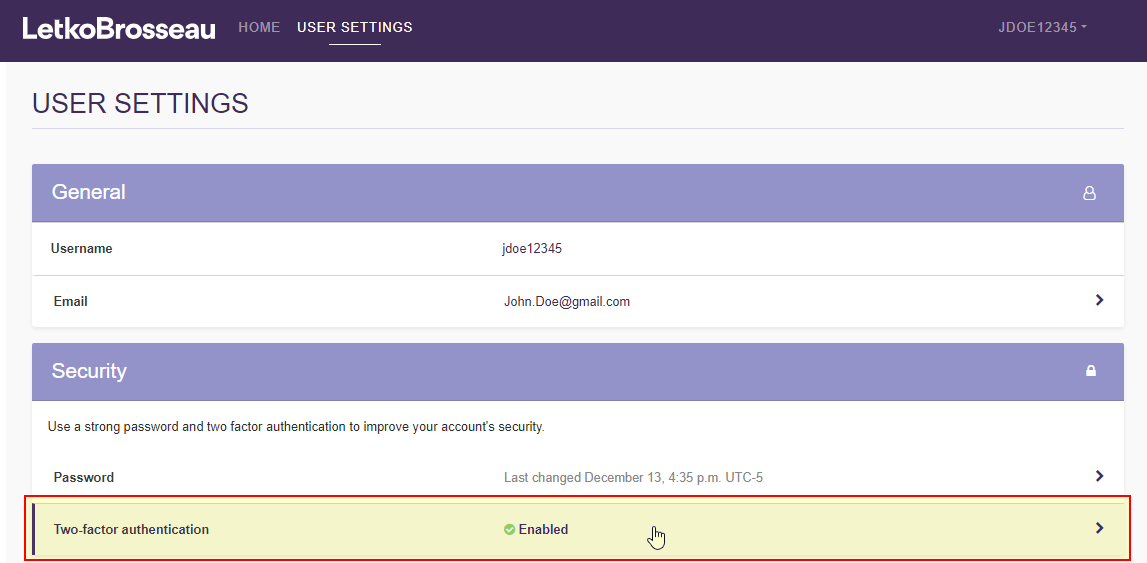
To access the 2FA settings, use the following steps:
STEP 1: Connect to the client portal, then go to your settings
STEP 2: Click on the "Two-factor authentication" section
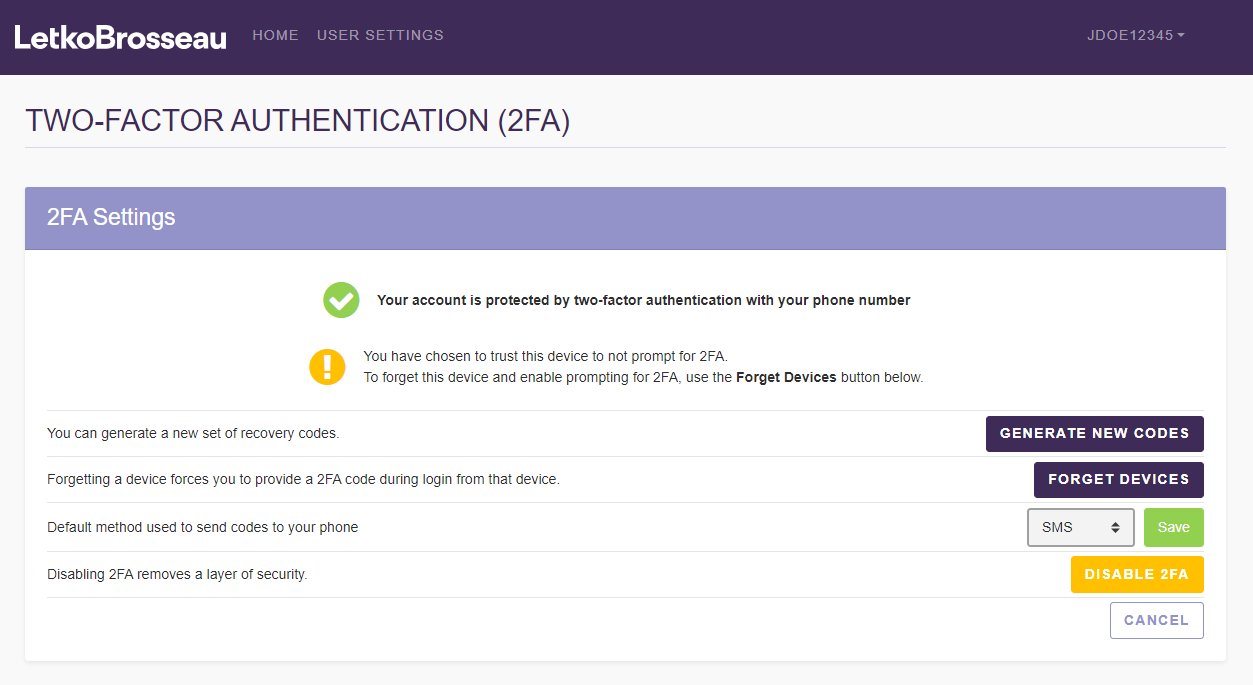
What are the different 2FA settings?
There are 4 possible actions you can take relating to 2FA settings. For more information on each of these actions, please refer to the corresponding article.
- Generate new recovery codes (see article What are recovery codes?)
- Forget devices (see article Remember this device)
- Modify the method used to communicate 2FA codes (see article How to change my 2FA method?)
- Disable 2FA for this account (see article Disable 2FA)