How to Disable 2FA?
Disabling two-factor authentication (2FA) removes a layer of security from your account. We generally advise to not disable 2FA.
If you wish to disable 2FA nonetheless, please follow the instructions below.
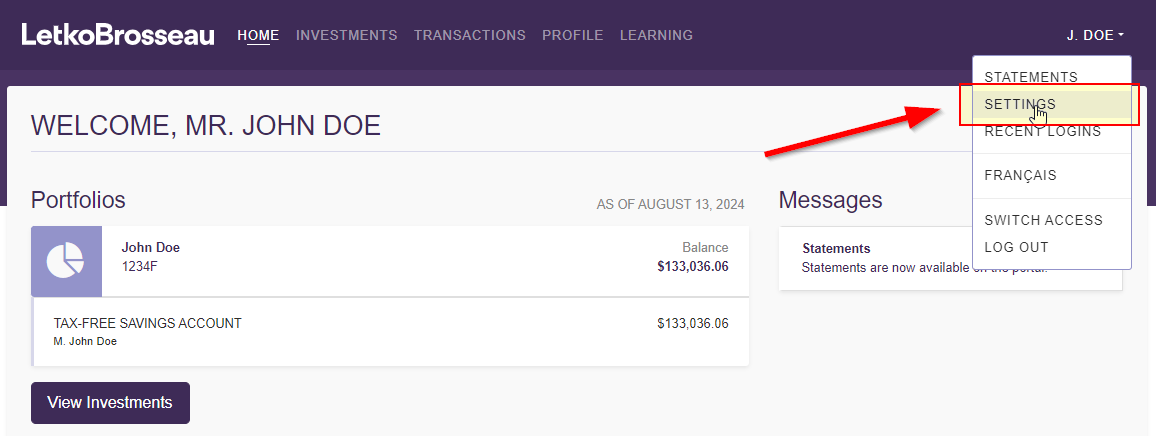
STEP 1: Connect to the client portal and go to your settings
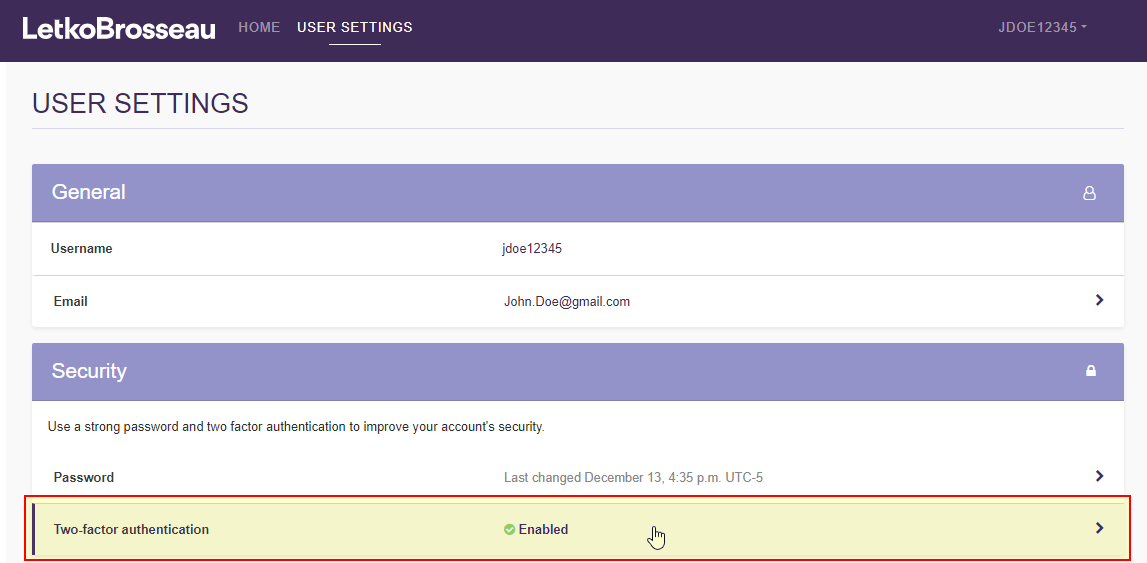
STEP 2: Click on the "two-factor authentication" section
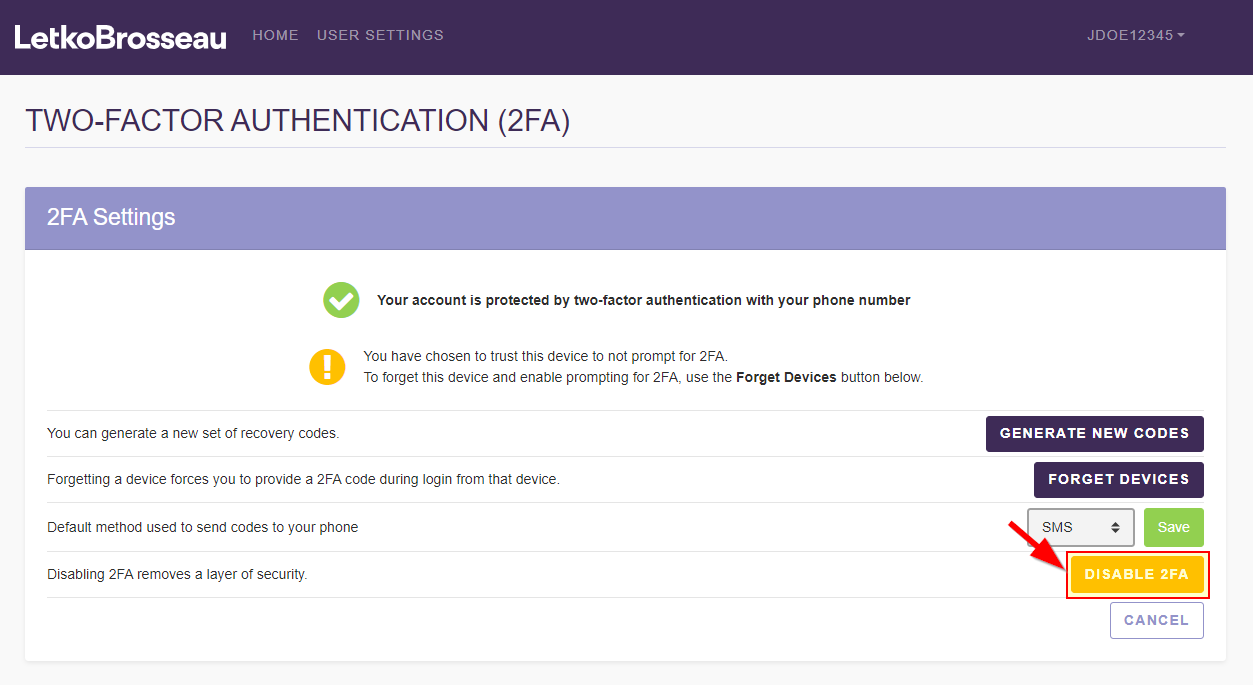
STEP 3: Click on "Disable 2FA"
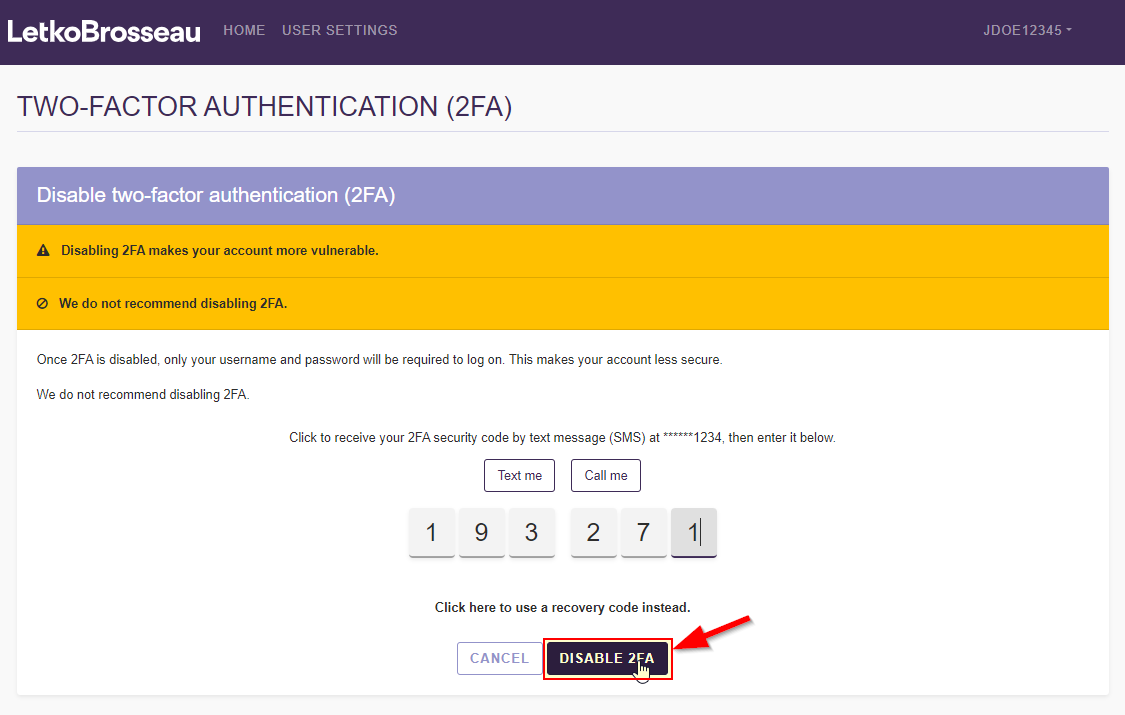
STEP 4: Provide a valid 2FA code
You need to provide a 2FA code using your current method in order to confirm that the request to disable 2FA is coming from you.