Disabled 2FA

How to disable 2FA?

Disabling two-factor authentication (2FA) removes a layer of security from your account. We generally advise to not disable 2FA.

If you wish to disable 2FA nonetheless, please follow the instructions.


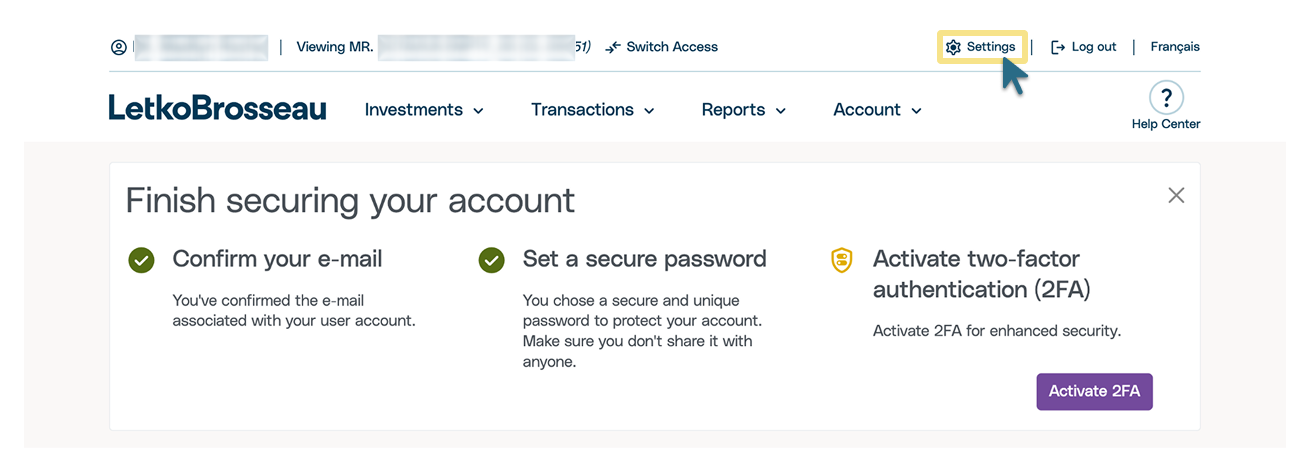
Step 1: Connect to the client portal and go to your settings 
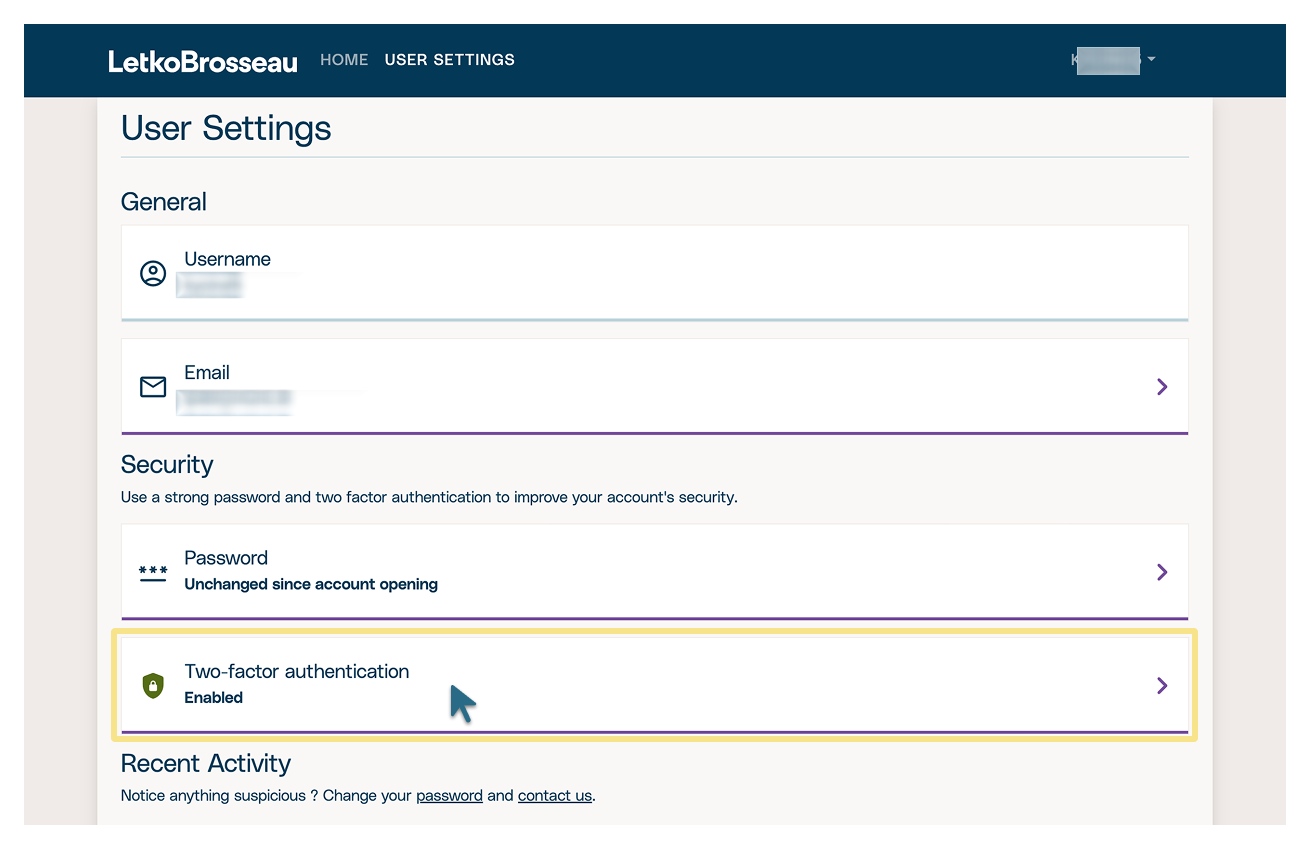
Step 2: Click on the "Two-factor authentication" section 

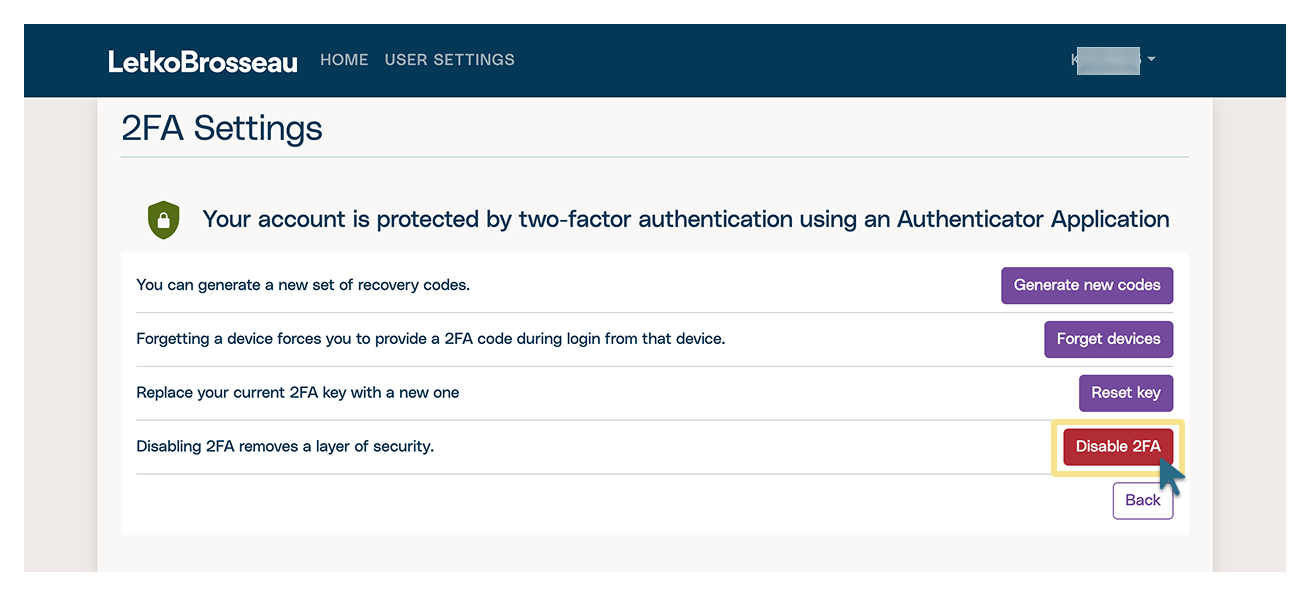
Step 3: Click on "Disable 2FA" 

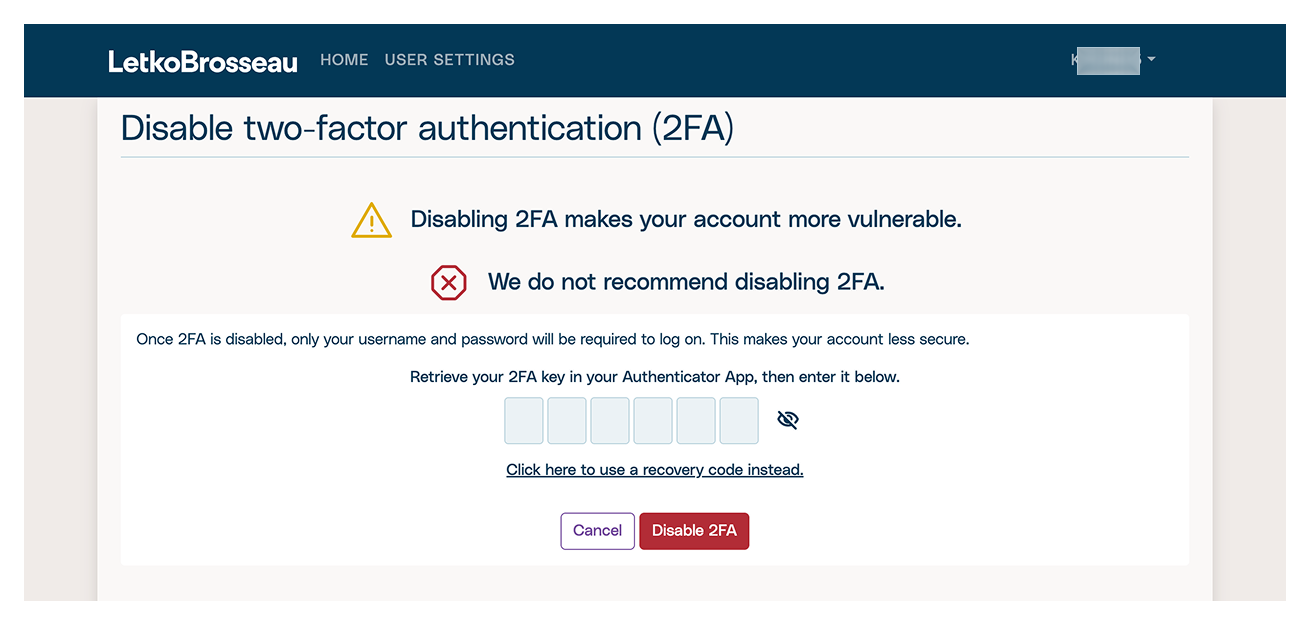
Step 4: Provide a valid 2FA code

You need to provide a 2FA code using your current method in order to confirm that the request to disable 2FA is coming from you.


In this article