To access the 2FA settings, use the following steps:
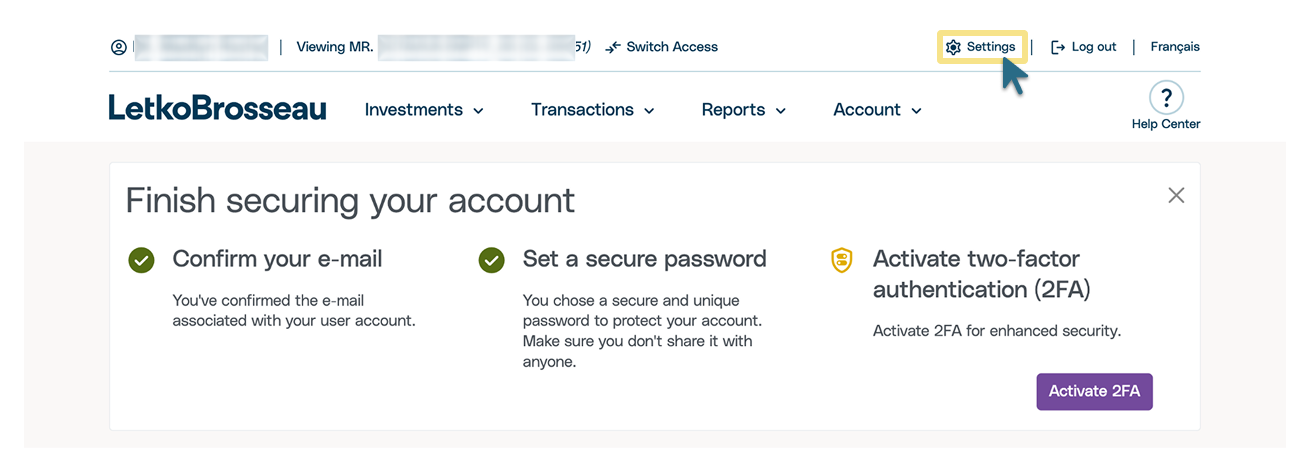
Step 1: Connect to the client portal, then go to your settings
To access the 2FA settings, use the following steps:
Step 1: Connect to the client portal, then go to your settings
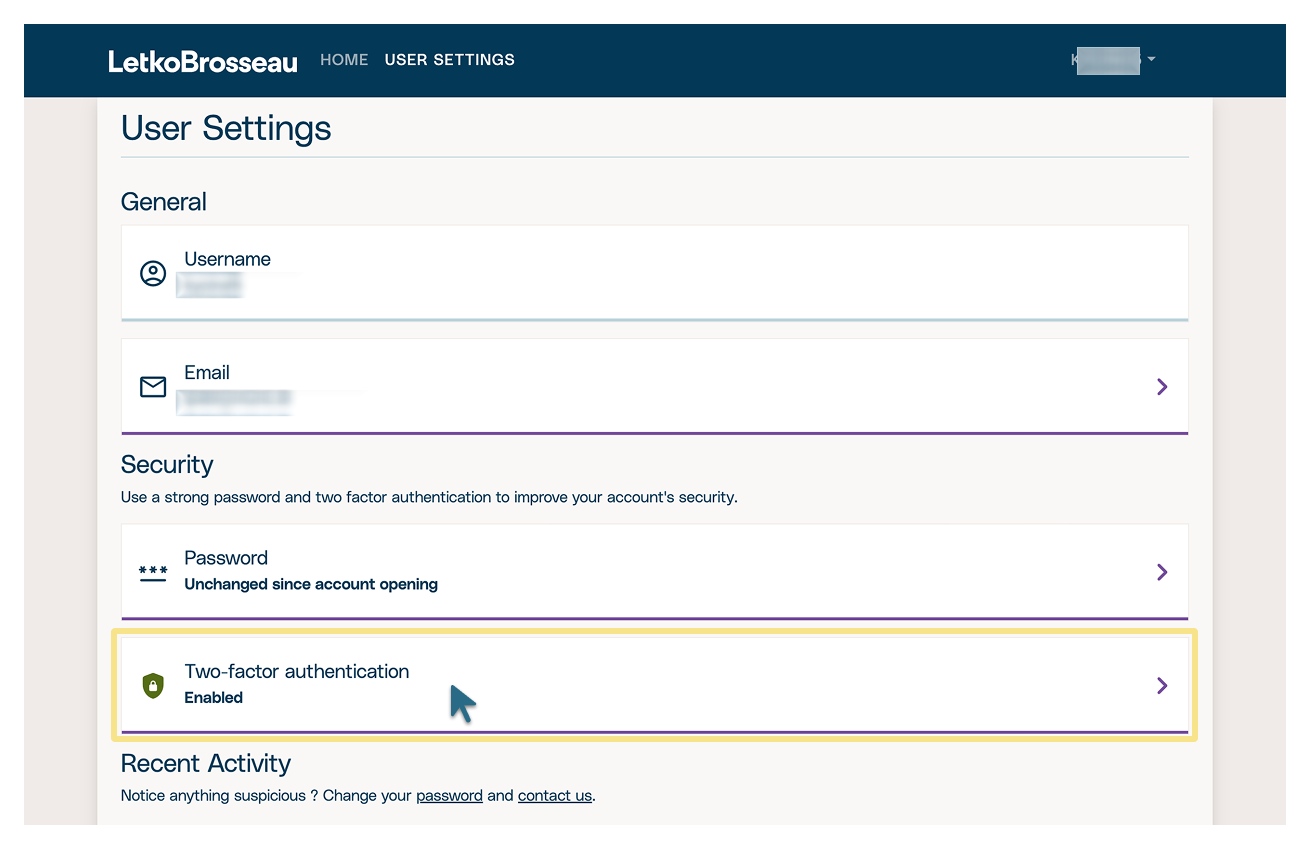
Step 2: Click on the "Two-factor authentication" section
There are four possible actions you can take relating to 2FA settings. For more information on each of these actions, please refer to the corresponding article.